What to Prepare Before Hiring a Website Designer
You’ve decided it’s time for a new website. Exciting! But now you may be wondering, “What do I need before hiring a web designer?” and “What do I need to literally have ready?”
That’s what this post is all about.
The good news is that you don’t need to have every tiny detail perfectly figured out before hiring a Squarespace website designer.
But having a few key foundations in place before the design phase kicks off—and getting clarity on where you want to outsource, in what order—will make your Squarespace website design project much, much smoother.
What to prepare for a website design project — let’s go!
WHAT DO I NEED READY BEFORE WORKING WITH A WEBSITE DESIGNER? AN OVERVIEW 👀
1 | Your Website Copywriting
Website copywriting is the words on your website that communicate your value, resonate with your ideal clients, and encourage them to take action.
Every site needs copy that clearly explains:
Who you help
What you help them with
What you offer, how much it costs, and what’s included in your packages
Why you do what you do — what led you to your work
Your approach, perspective and qualifications — helping to show why someone should choose you as their practitioner or provider
What people should do next
You don’t need to have your website copy ready before hiring a website designer, but you do need to have the website copy completed BEFORE the website design project start date.
There are a few ways to make this happen.
→ option #1: Write your own website copy
You can write your website copy yourself, either from scratch or with the help of A.I. tools. This doesn’t have a direct financial cost aside from your LLM of choice, but it does require time and thought.
You’ll need to work through the BIG, important questions like:
Who is your ideal client?
What problems are they experiencing?
What services or offers do you want to promote?
What is included in each service?
What makes your approach different?
What information does someone need before enquiring?
What action should they take on each page?
A strategic website template with copy prompts can make this process much easier.
→ option #2: Have your copy professionally edited
Perhaps you’re comfortable writing the first draft but would like some professional help refining it. As a website copywriter as well as a Squarespace website designer, I can edit your existing website copy for clarity and conciseness, conversions, personality, and overall polish before adding it to your website.
→ option #3: invest in professional website copywriting
You can also work with me to develop your brand messaging and write your website copy for you. Website copywriting services can help you create:
Distinctive, human-centric copy that stands out from the A.I. crowd
Crystal clear positioning
Empathetic, jargon-free, client-centred messaging
Conversion-focused website content
Strategic calls to action that actually convert.
All with SEO keywords baked in, to help visibilty in search engines.
Personally, I like to know as early as possible whether you’ll be writing the copy yourself, whether you have an existing draft you need edited before we start designing, or if you’re investing in professional website copywriting before design.
2 | Your SEO Strategy
SEO strategy is a plan for improving your website’s visibility in search engines. If being found through Google is an important part of your marketing strategy, SEO needs to be considered before or during the website copywriting process—not added as an afterthought once the website has already been designed.
In the copywriting phase, SEO Support would include:
Keyword research
Deciding which keyword(s) will be targeted on which webpage
Integrating those keywords into your website copy
Writing page titles & meta descriptions
Possibly identifying high-value SEO landing pages to create, too
Squarespace is great because it provides the technical foundations for search engine optimisation, but your website still needs to be strategically optimised for your keywords of choice if you want it to appear in relevant searches.
So if you’ve invested in SEO strategy at the copywriting phase, and know what keywords you want to target where, in the website design phase SEO support would include formatting headings and web pages according to SEO best practices, optimising image sizes, adding image alt text, page titles and meta descriptions in Squarespace, and setting up Google Search Console.
You don’t need to complete your own keyword research before approaching a Squarespace website designer about working together.
However, if SEO is an important part of your website strategy you’ll definitely want to what level of SEO support is included in your Squarespace website design project. As
As a Squarespace website designer for wellness businesses I provide SEO strategy, website copywriting, and web design services — offering end-to-end support, or only the elements you need. Keen on getting all that support under one studio roof?
Get in touch (no strings attached) »
3 | Your Branding
Branding is your business’s visual identity, namely its logo, colours, fonts, and other design elements that create a recognisable look and feel. A “vibe” and aesthetic, if you will. Your branding gives your Squarespace website designer a distinct visual direction for your new site.
If you don’t have branding yet, there are a couple of different approaches you can take to bring it to life:
→ option #1: Mini branding
A mini branding package is a lower investment option than a complete bespoke brand identity. This option can be ideal if you don’t want an extensive branding process but still want your website to feel cohesive, intentional and professionally put together.
In my own process, first you complete a branding questionnaire and create a simple visual direction Pinterest board. Then my mini branding support delivers:
A curated colour palette (3-5 colours that work beautifully together in Squarespace)
A curated font selections (heading font, body font, subtitle font, button font). Squarespace includes a wide selection of fonts, so you don’t necessarily need to purchase premium typography — although some premium fonts are undeniably beautiful!
A simple word logo in Squarespace
A basic branding package like this still result in a cohesive, lovely-to-look-at website, particularly when curated carefully, and applied thoughtfully and consistently across your site.
→ option #2: Bespoke branding
Bespoke branding is a more in-depth investment. It usually involves creating a distinctive visual identity with multiple assets, often including:
Primary & secondary logos
A brand mark or monogram
A custom colour palette
A custom typography set
Bespoke graphics and icons
Brand patterns
This can be a powerful investment for an established health and wellness business that wants a recognisable identity it can use consistently across your website, social media, printed materials and wider marketing.
If you’re working with a separate brand designer, your branding will ideally need to be completed before I begin the website design phase. I’ll need access to the relevant files, font names (and files if you’re using premium fonts) and colour codes before I begin designing.
This allows me to design around the complete visual identity, and use the assets avilable, so we bring your beautiful new brand identity together in website form!
4 | Your Website Photography
Choosing website imagery is a little like choosing lighting for a home. It’s incredibly important, but often more nuanced and difficult than people initially expect!
Your imagery helps establish the mood of your website, communicate the personality of your brand, and evoke a specific “feeling” in website visitors. They can also heavily inform your website’s branding and visual direction. And the photos on your website will have a massive impact on the final result.
You have several options for website photography.
→ option #1: Brand photography
Professional brand photography can be one of the best investments you can make for impactful marketing I believe! And indicators are the people prefer real photos, not A.I. ones, with A.I. generated images having a direct, negative impact on trust.
Depending on the type of shoot you can invest in, a photographer can capture:
You! The person they are going to be working with
Your team (if you have one)
Your clinic, studio space, or workspace
You working with clients
Your tools, favourite books, desk or processes
Details that reflect your personality
The overall atmosphere or “vibe” of your brand e.g. modern, chic, and restrained … or energetic, vibrant and warm.
Brand photography can help you build trust, stand out and increase your credibility. Although it is a larger investment, it’s so worth it, and you can also use the photographs across your social media, email marketing and other promotional materials like presentations, flyers, and media kits.
→ option #2: Professional headshots
Professional headshots work as a great middle ground if a full brand photoshoot is out of reach right now. It’s a lower investment that still gives you a solid collection of photos for your site.
Headshots let your website visitors see YOU — the person/practitioner/professional behind the business — which immediately creates more know, like and trust. You’ll have less images to pull from, sure — so you can then combine your headshots with thoughtfully-chosen stock photography to create a large-enough photo collection for your site.
→ option #3: stock photography
Stock photography is a collection of professionally-captured general images that you can license and use in your website.
Paid stock photography is often more polished and distinctive than free stock imagery. Many paid stock image libraries provide coordinated collections, which can make it much easier to create a cohesive look and feel across your website.
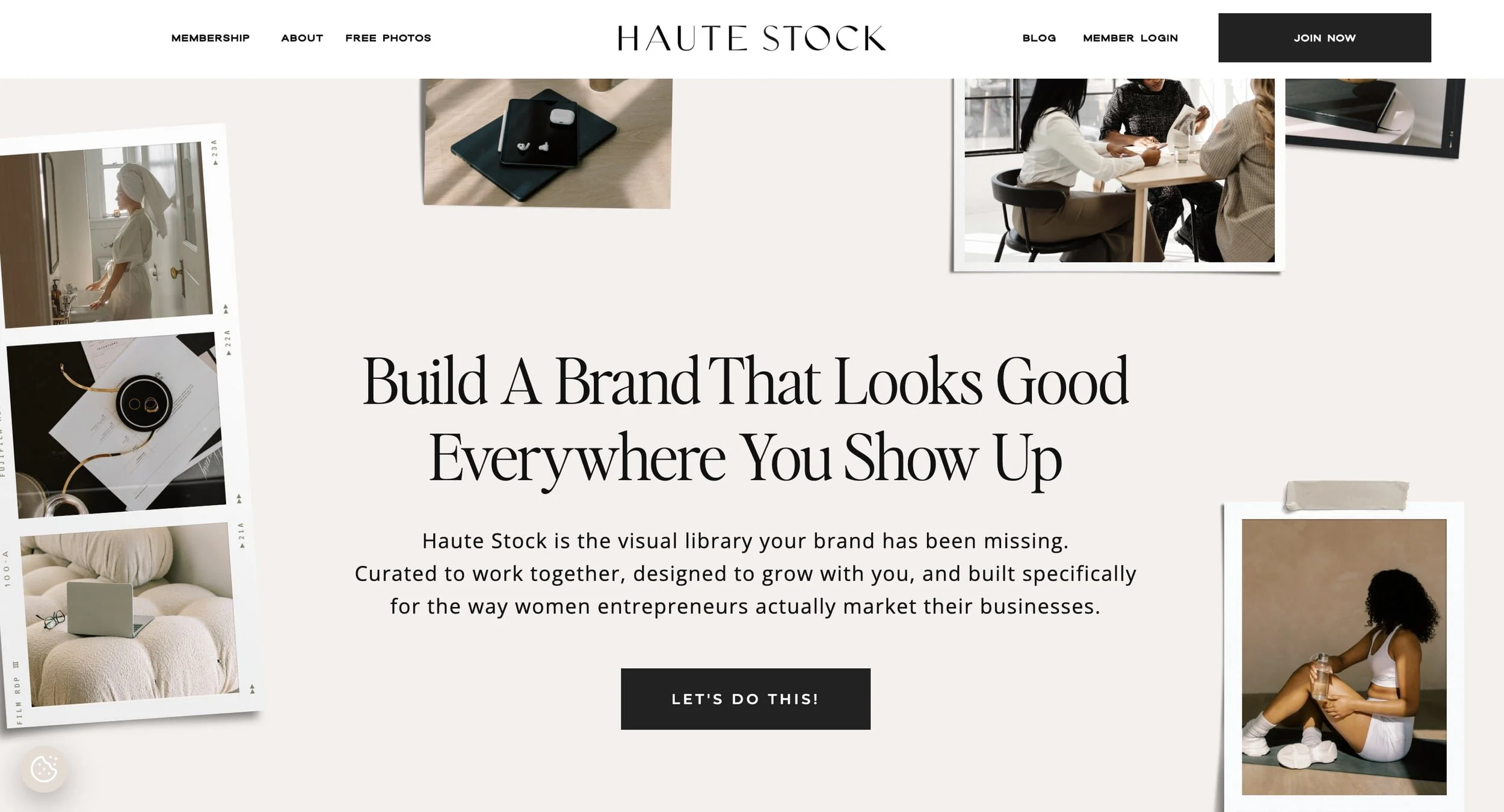
Haute Stock, one of my preferred paid stock image libraries
Personally I really rate Haute Stock, and have used the photos in my own site. It contains many collections suited to health and wellness professionals, collections centred around colour palettes (which makes selecting cohesive imagery even easier), and you can even edit some images to make them match your brand colour palette. It’s really cool.
Unsplash+ is another cheaper (but still paid) option — but it doesn’t have those extra features that Haute Stock does.
Free stock photography can also be used, particularly when you’re working with a tighter initial budget. Popular image libraries include Unsplash and Pexels or Kaboompics.
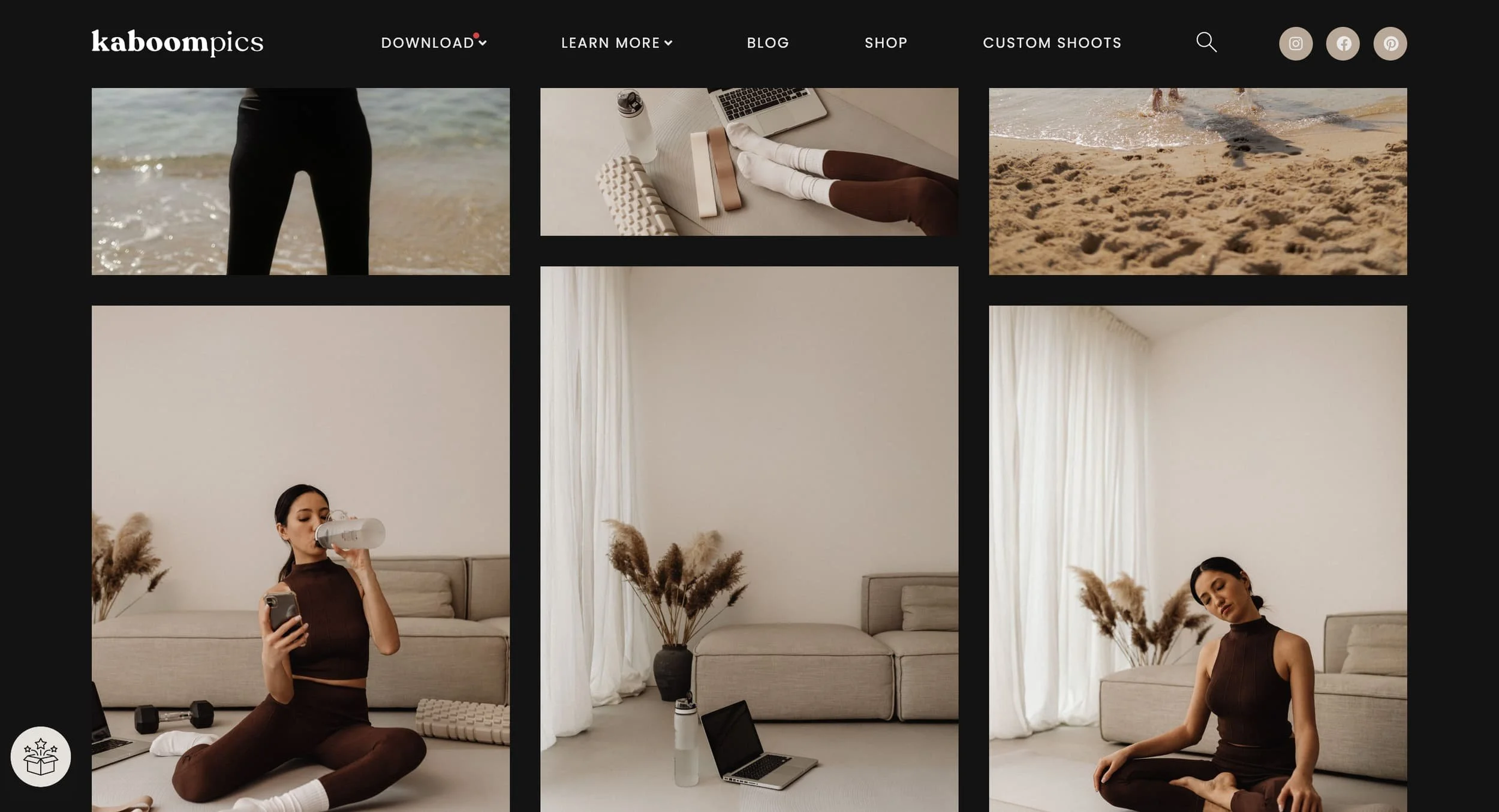
Kaboompics yoga collection page
However, it can be difficult to find a complete collection of free images that feel cohesive and complementary, because the photographs often come from different photographers, and usually feature smaller collections. However, if you only need a few supplementary photos, you might be OK!
I do need to understand which photography option you are choosing before the design phase begins:
Full brand photoshoot
Professional headshots
Stock photography
A combination of these options
How I bring together your website photos
If you’re investing in a photoshoot, it will need to take place before I begin the main Squarespace website design phase. This is because I’ll be designing around the style, vibe, and colours of your images.
If you’re using stock photography on your site, you’ll need to purchase a short-term membership to the relevant stock platform just before we start designing. Tip: Double check the terms of your chosen stock photography provider, but you can normally cancel the membership after a month or quarter and keep using them for your site.
Yes, you need to know what photo source(s) you’re using — but no, you don’t need to find or choose every image before the project begins.
If you’re hiring a photographer, I can select the most suitable images from the shoot and decide where they will work best on the site during the web design phase.
If you’re using paid stock photography, I need access to your subscription platform (login details and password), and I can then curate suitable stock photography from there to complement your brand photos, support your website copy, and align with your branding, audience, offers, and aesthetic.
5 | Your Tech Integrations & Business Tools
Tech integrations are the tools and systems connected to your website to support functions like bookings, payments, email marketing, forms and client management.
Your website will often need to connect with these other systems you use to run your business.
Before your project begins, I’ll ask you to make a list of the tools you currently use—or know you will need. I’ll also need the relevant login details and account access, so I can find the forms or embed codes to integrate them into your website.
Depending on your business, this may include:
Scheduling/booking tool
Social media platforms
Email marketing software
Payment processing software
Quiz or form software
Live chat tool
Analytics or heatmap tools
Not sure what you need? We can talk it through.
6 | Your Domain & Squarespace Account
You will need a domain name: the address people type in to reach your website. You might already own your domain, or you may need to purchase one before your website launches.
If you already own one, it can usually be connected or transferred to Squarespace. This is something I handle for my Squarespace website design clients so you don’t need to sweat the techy bits!
What information does a website designer need for this? Well, I will need the login details and password for your domain provider. Usually we need to jump through some hoops for authentication, but I’ll communicate via Slack if that’s the case.
You will also need a Squarespace account and an active website subscription before the site can go live. You don’t necessarily need to select your final subscription before enquiring about working with me. I can help you work out which plan provides the functionality your website requires, and you can activate it once your site goes live!
BONUS: Your Legal Policies Before We Go Live
Depending on your business, location and the information you collect, your website may require documents such as a privacy policy and website terms and conditions
I can add the policies you provide to your website, but I cannot provide legal advice or write legally binding documents for you. You don’t need these BEFORE we start work on your website, but you do need to keep them top of mind.
You may choose to work with a lawyer, purchase a reputable legal template or use a legal policy service. It’s important to make sure your policies are appropriate for your location, business model and the information your website collects.
I hope that answers the question, “What do I need before hiring a web designer?”

What Can I Handle as Your Website Designer?
Every web designer’s process is different, so it is important to understand exactly what is and isn’t included in your package. Some are brand designers, others do or don’t do SEO. It really does vary.
My optional pre-website design support available includes:
Mini branding
Website copywriting
Copyediting
SEO strategy for Squarespace
This means you don’t have to arrive with absolutely everything figured out.
Then, my done-for-you Squarespace website design services can include:
Custom website design or Template customisation
Image curation
Forms set up
Tech integrations set up — e.g. social media, CRM, scheduling
SEO fundamentals — Page titles and meta descriptions installed, imagery optimised and alt tags added, Google Search Console setup and connected to your Squarespace site
Mobile optimisation & website testing on mobile, laptop and desktop
Website launch — I’ll connect your domain for you & make your live
Squarespace training — we’ll have a training call where I walk you through your site.
Ready to Book in Your Squarespace Website Design Project?
Your website is one of your biggest wellness business assets—I would love to help you shake off the stress of a subpar site, and feel proud to promote your online home.