Punchpass Review (2026): A Real Fitness Business’ Experience
Want to try Punchpass out for your studio?
If you’ve been weighing up booking platforms for your fitness, yoga or Pilates studio, Googling “Punchpass review”, and still aren’t quite sure if it’s the right fit for your business, you’re in the right place.
As a former yoga teacher and a current website designer, copywriter and strategist for wellness businesses, I know that choosing a booking system can feel like a big decision—especially when your day-to-day operations and client experience depend on it. Especially if you’re already set up on a different platform.
So instead of just listing features, I want to show you what moving to and using Punchpass actually looks like in real life.
In this post, I’ll walk you through how I helped an Auckland-based boutique fitness business move from Acuity to Punchpass,what the process was like (I know because I managed it for her!), and what results she’s already seeing post-move—to help you decide if it’s the right move for you, too.
PUNCHPASS REVIEW BREAKDOWN
Why My Client Switched from Acuity to Punchpass (A Boutique Fitness Business Case Study)
As I just explained, I set up Punchpass (and integrated it into her existing Squarespace website) for one of my wonderful clients, a boutique fitness business founder here in Auckland who needed a simpler, more aligned booking system for her business.
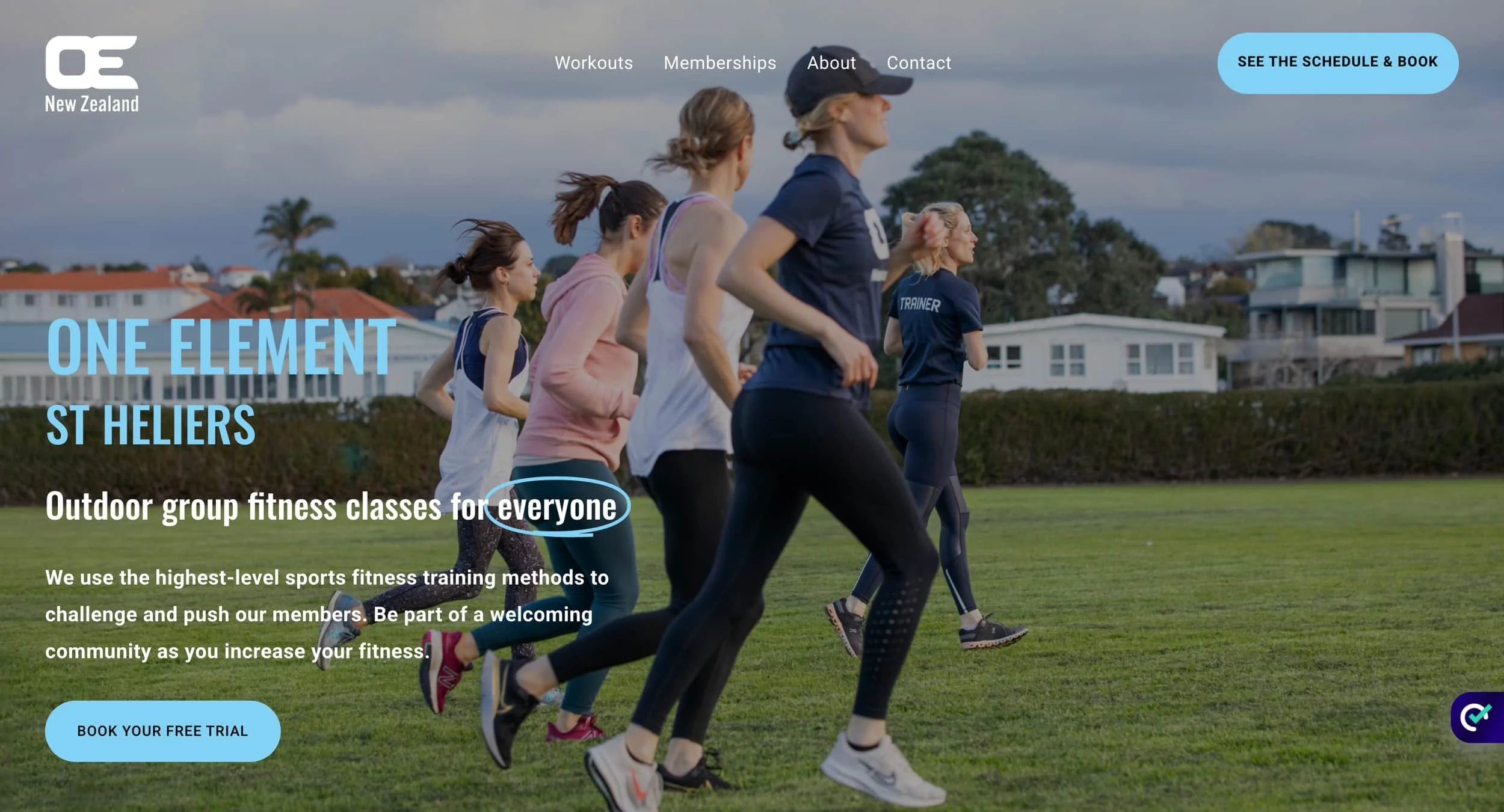
Liv runs One Element NZ, which offers outdoor group fitness sessions in St. Heliers.
When she approached me, she was using Acuity Scheduling for her bookings and KNEW it wasn’t working well for her. And to be fair, Acuity is a great tool in the right context.
But for a class-based fitness business, she started to notice a few pretty serious limitations with Acuity:
Managing class packs and memberships felt clunky - cancellations had to be done by Liv rather than clients themselves, for example.
The client booking experience wasn’t great - members said it was confusing to book a session as it always looked like they had to pay when they didn’t.
It worked, sure…she received payments and people bought memberships and booked classes…but not well enough.
Especially as she was looking to GROW, and she needed a platform that helps support that growth.
Biggest Acuity problems: Free trial foibles, limited reporting, and poor UX 🫣
One of the biggest issues with Acuity was how leaky the free trial process had become.
It’s not possible to set up a free trial natively in Acuity, and so the process was set up with a workaround, which was hard for Liv to manage when she was already trying to live life as a busy Mum, and lead her actual sessions.
On the marketing side, the free trial wasn’t converting well due to the clunky way it was set-up, which is a real problem when your free trial is the main entry point into your fitness business—if people aren’t coming in at the top of the funnel, it becomes much harder to grow your member base.
Then when I looked into the backend, it became clear how limited the reporting was. It was difficult to get a clear picture of what people were purchasing, which memberships they were on, or which classes they were attending.
Without that visibility, it’s much harder to understand your business, make informed decisions, and effectively support or market to existing clients.
Hence…moving to a different platform!
What She Actually Needed From Her Booking and CRM System
When I first started working with this client, she already knew she wanted to move away from Acuity Scheduling due to the aforementioned reasons—she just wasn’t sure what the right alternative was.
She needed something that truly supported how a boutique fitness business operates day-to-day, which meant:
Simple management of passes and memberships with easy oversight (who’s on what membership, which classes are most popular, for example.)
A smooth, user-friendly booking experience for clients
Integrated waiver
Clear, useful reporting to help us improve marketing and understand the business
An app for members to book classes from
Place to add notes about individual members (injuries, fitness goals, etc.) that trainers could see and allow them to tailor sessions accordingly.
The ability to integrate online classes in the future, as well as in-person, within the same system. This means Liv could host live online sessions and begin building a library of on-demand classes—all housed in one place—creating a much more flexible and scalable offering for One Element members.
Automations for marketing and client management
Integration with an email list (we moved her list from Squarespace Campaigns to Mailerlite)
And something that didn’t feel overly complicated to use or manage
Enter…Punchpass!!
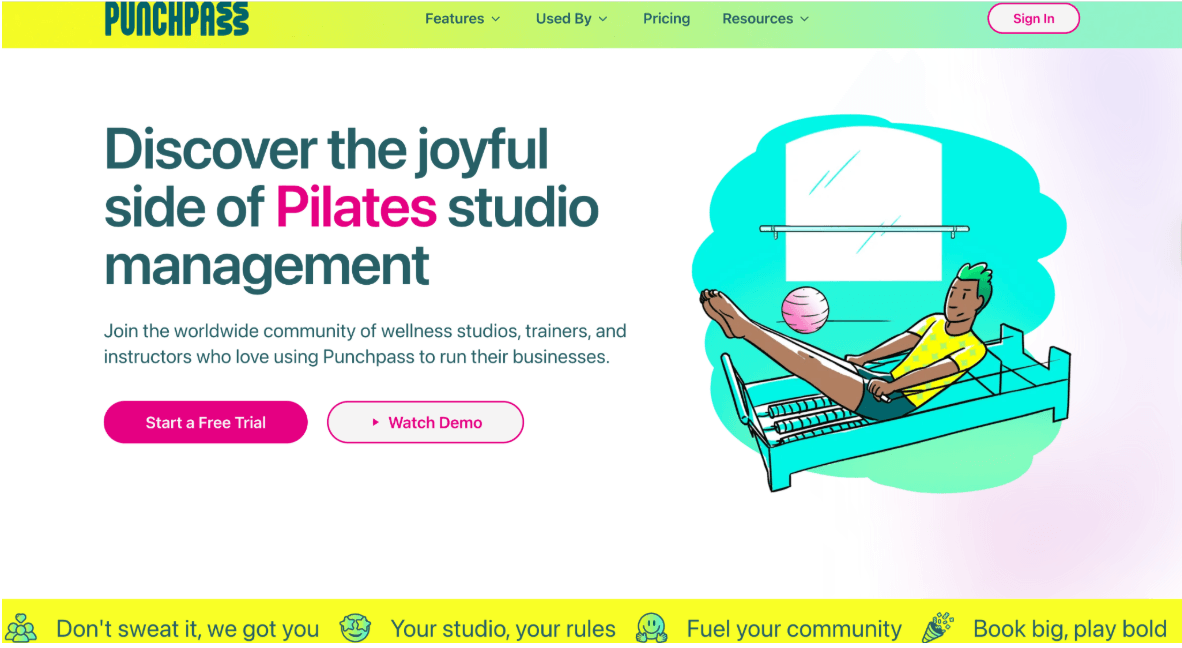
Punchpass homepage - we did love the branding as well!
Why We Chose Punchpass in the end
After comparing a few different platforms, including TeamUp (more complex to manage), Gymmaster (had functionality we didn’t need), Momence and MindBodyOnline (both more expensive), we decided to move forward with Punchpass.
Because for Liv’s business, it made sense.
Punchpass is specifically designed for class-based businesses—like Pilates, yoga, and fitness studios—so a lot of the functionality felt more aligned straight away.
It’s also much simpler than larger platforms like MindBodyOnline, which can feel overwhelming (and often unnecessary) for smaller studios.
We also loved that the first 2 months are offered at 50% while you get set up and find your feet.
What the Transition to Punchpass & Setup Actually Looked Like
From a practical perspective, I managed the full transition from Acuity Scheduling to Punchpass for her so she could focus on delivering the sessions and keeping the studio going as normal—and while these transitions are never completely stress-free, especially when recurring payments are involved, this one went as smoothly as possible.
Because she had automated payments set up for memberships with Stripe, I needed to export and organise that data into a spreadsheet (which, to be honest, was one of the more challenging parts with Acuity, as it was tough to find the right data), then hand over everything to the Punchpass team to input so recurring payments could continue seamlessly in Punchpass through Stripe.
From there, I set up the relevant membership passes in Punchpass, and their team supported the final connection and client setup over a few days. Once everything was in place, passes rolled over as expected over the course of a month.
On the setup side, I handled the full system configuration to align with how One Element NZ actually operates.
This included:
Creating session types, schedules, locations, and inputting session descriptions
Customising booking settings (confirmations, reminders, cancellation policies)
Setting up passes and memberships (both public and hidden) - I found you could customise each membership and punchcard heavily — for example, at what interval does the membership recur/how often do payments come out (hint: 4 weeks is different to 1 month! Keep scrolling down to find the monthly option as I missed this initially), deciding if can members cancel the membership themselves, which classes can people who hold this membership book onto, how many sessions on this punchcard, and more.
Beginning to layer in automations to support a more premium, conversion-focused client experience
What really stood out was the level of support Punchpass gave me—they were incredibly responsive via chat, available for calls when I needed reassurance or help implementing something (like class settings), and genuinely helpful throughout. It felt like working with real people who cared about getting it right, and they went above and beyond to support the transition.
Biggest Punchpass Wins Since We Started Using It
Better Reporting = More Informed Decisions
One of the biggest upgrades with Punchpass has been the reporting. The reporting is far more detailed and useful, giving clear visibility over attendance, passes, and client activity in a way that simply wasn’t possible with Acuity Scheduling. This informs scheduling decisions and marketing decisions.
Better Member Experience
Secondly, after moving from Acuity to Punchpass, her booking flow is now far more intuitive for clients. Client feedback has been really positive—we’ve been told firsthand that they’ve found the booking process much clearer and easier to move from “I want to book” to actually securing a class. That simplicity makes a real difference.
Free Trial Bookings Have Increased
One of the most impactful changes we made was using a dedicated link option in Punchpass to send people to a standalone free trial booking page via the website. This page offers:
A simple explanation of the free trial offer
A clean, distraction-free layout
A direct booking button
And it’s already made a difference. She’s seen an increase in people signing up for her free trial (and continuing on to paid memberships!)—simply because the path is now clearer and easier to follow than it was in Acuity. Giving your free trial holders a positive experience in booking AND in sessions is key to improving conversions.
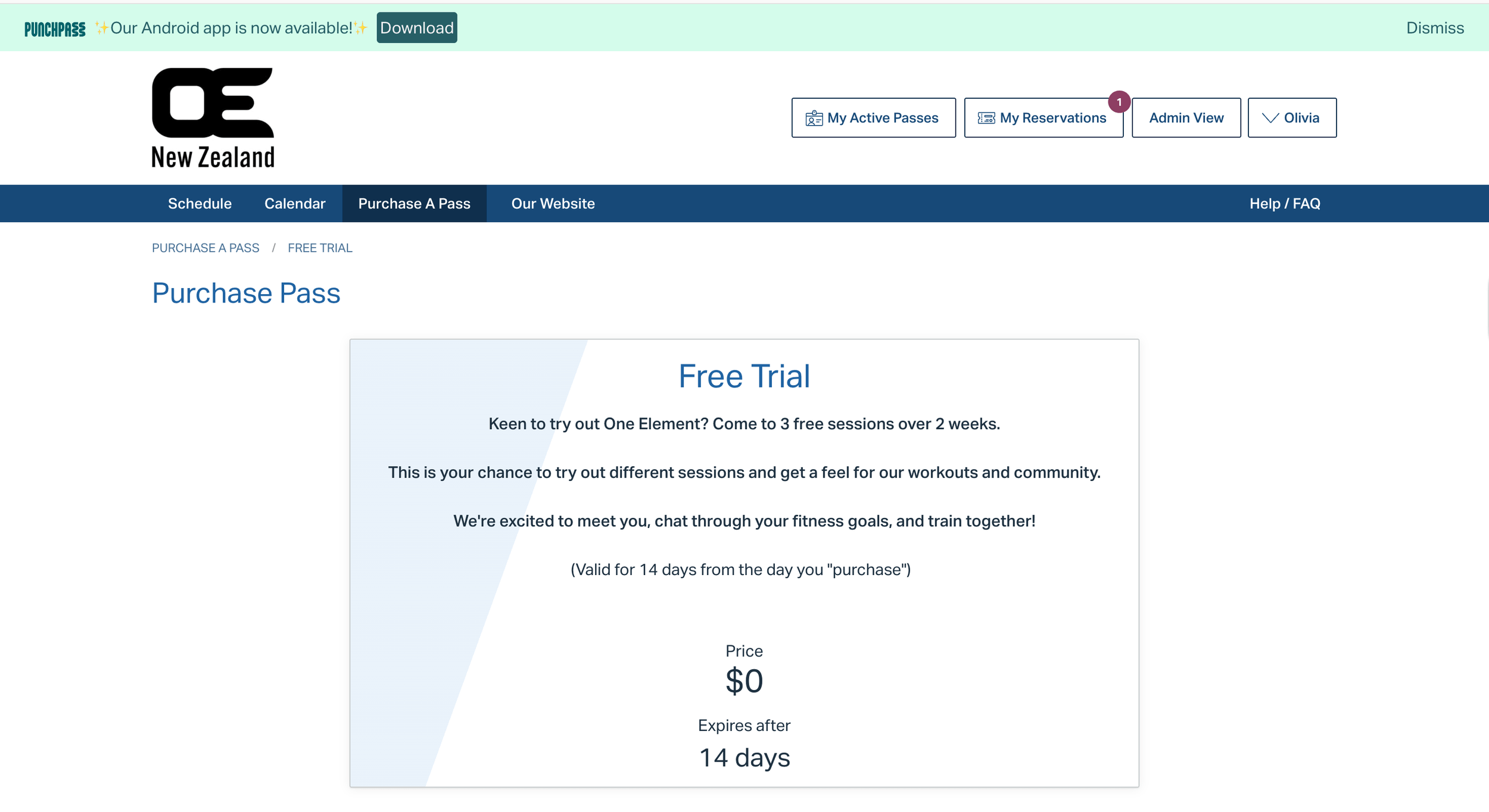
Free trial landing page in Punchpass for NZ boutique fitness business
Punchpass Pros So Far
Simple and easy to use (after an initial learning curve). I will not lie, there is always a learning curve with any new system, especially one like Punchpass that has lots of functionality built in (which is amazing). However, you get the hang of it quickly, the how-tos available in Punchpass are extensive, and you can book a call with the team to work through customising class set-up and business setting for YOU, with control over pieces like cancellation policies, membership renewals, cancellations, pausing memberships, and so much more. So you’re supported and will get the hang of it as you go along.
Strong reporting features compared to what we had in Acuity
More intuitive client experience - member feedback has been good.
Support level is high - if you get confused about anything, you can reach out for help and clarification via the Chat tool, book a call to go through something with a team member, and there is a big archive of support articles you can search as well.
50% off for the first 2 months as you set it up
Option to deliver online classes as well as in person. We’ve also set it up for events as well!
Members can search the schedule by class type (love this as a client/member! I tried to sign up for a yoga class at a studio that uses Momence, and I couldn’t do this, which was so annoying.)
Punchpass Cons So Far
Limited design customisation (although you can pay for a higher tier than the one we’re at and customise the design more)
Onboarding questionnaires (where you can learn about medical conditions, for example, and contraindications for exercising and things a PT might want to know) are only available at a higher tier of membership than Liv currently has, but I am setting up a workaround with Google Forms. As her business grows, there is the option to go up to a higher membership tier.
At our current tier it may not suit larger or more complex studios that want lots and lots of marketing automations. However, we can do 10 at our membership tier—and if we wanted to do more, I know how to use Zapier to connect with Punchpass and set up more automations. And again, if we upgraded to the Pro tier, we could do unlimited automations. So that’s purely a budget question.
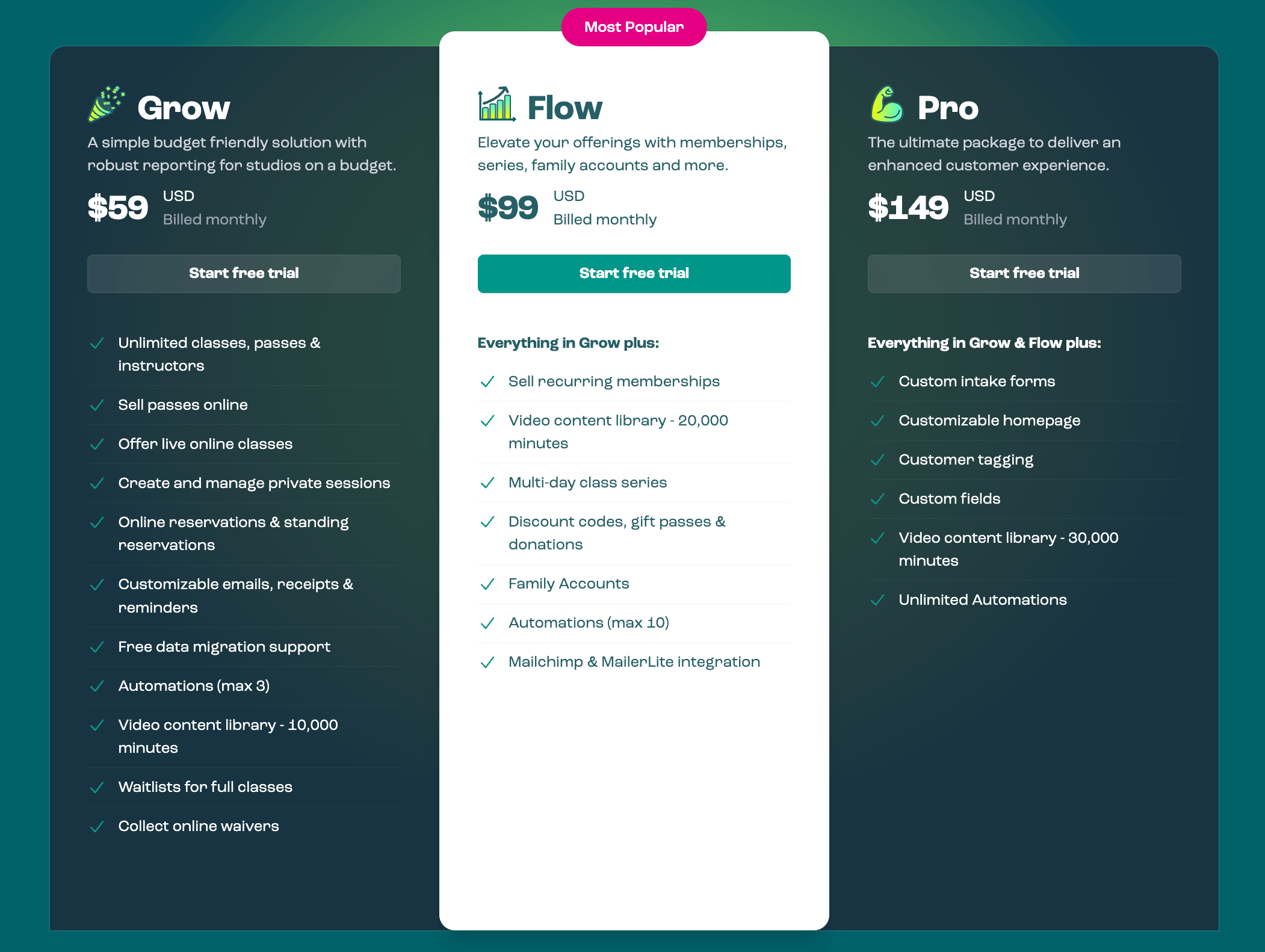
Punchpass tieirs
Punchpass Review: Final Verdict
If you’re running a boutique fitness or wellness business and your current system isn’t quite keeping up, Punchpass is a really solid option. It’s practical, easy to use, and actually supports how these businesses run. And the team behind it are awesome, it feels like they really do have your back.
Running a studio, delivering amazing classes, and delighting your members is enough as it is—you shouldn’t be battling your booking system, too. 🙈
Acuity is great if you run mostly 1:1 appointments, so you’re a Health Coach, Nutritionist, Therapist. I’ve used it in my own business to schedule Consultations, Client Meetings and Discovery Calls, and it’s been fantastic.
Punchpass is fab if you’re a Fitness business and you run group classes, sell class packs or memberships, and you want a more tailored system for fitness.
I hope this Punchpass review was helpful!
And if you have any specific questions about Punchpass from a user perspective, feel free to message and ask.
Upgrade your Boutique Fitness business Website
Are you a PT, Yoga Teacher, Pilates Teacher, or Boutique Studio?
I design Squarespace websites that help you promote and book out your classes and events, share your approach to yoga/Pilates or movement, build a personal brand, grow your email list, and attract members. I don’t stop at copy and design, I make sure your site integrates your booking system and the other tech you use.
I can also help set up and manage CRM transitions, like moving from Acuity to Punchpass, because I know you’re busy running your business and handling admin on top of that can feel overwhelming!
Explore health and wellness website design services »
Get in touch if you need support »